How to Turn Off Automatic Zoom on Google Meet
May 30, 2025
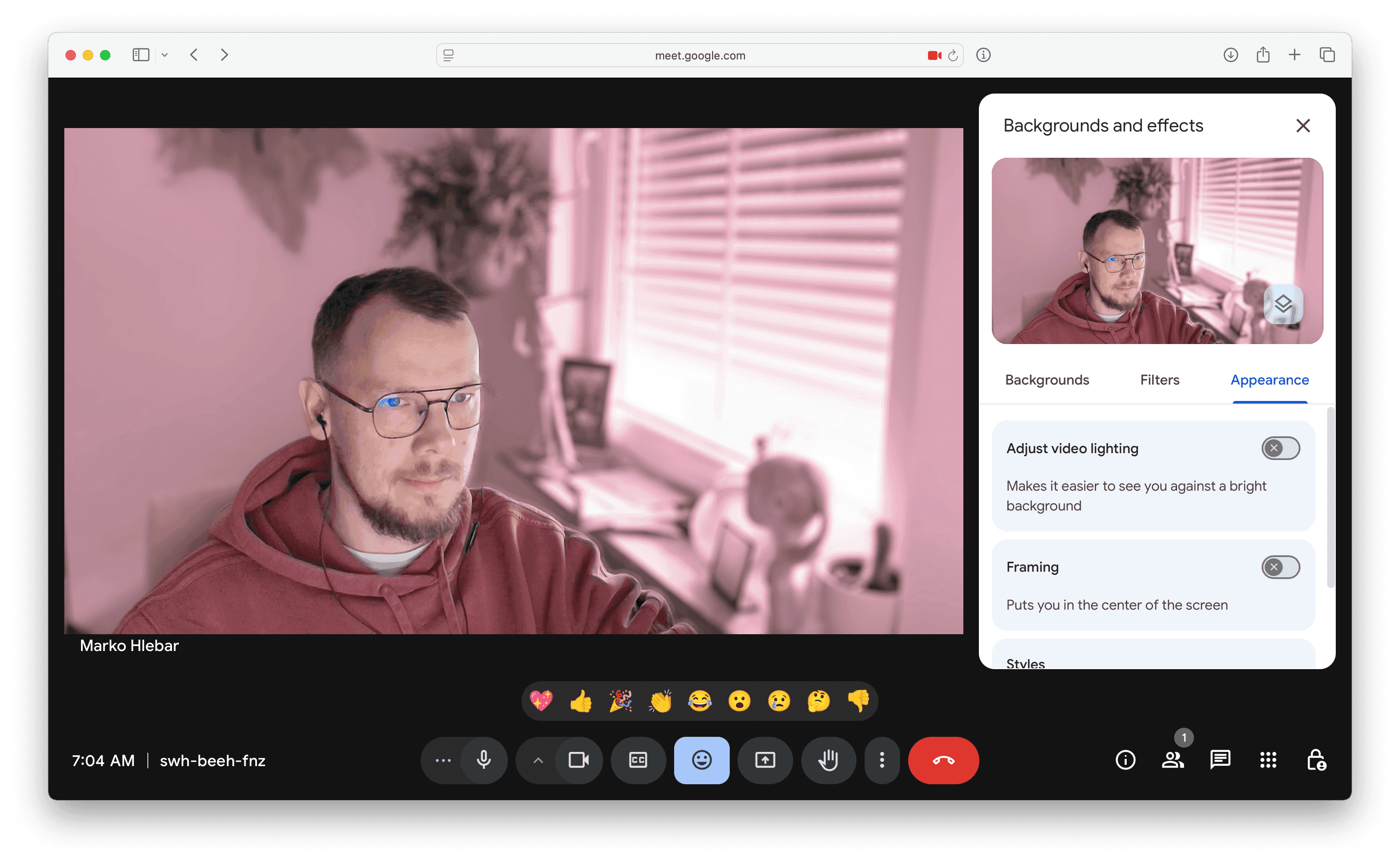
Google Meet has recently added a new feature to the online meeting platform which automatically zooms your camera to center on you. If you're using a Virtual Camera like Xamera Camera, and have already framed yourself perfectly, you can turn this feature off like so:
- Click on the up arrow button ^ next to the Camera Button
- Click on Backgrounds and effects
- Go to the Appearance tab
- Disable the Framing Toggle
Full video on how to disable this feature is also available here.
If you liked this tutorial, check out Xamera Camera for macOS.