Xamera Camera for macOS
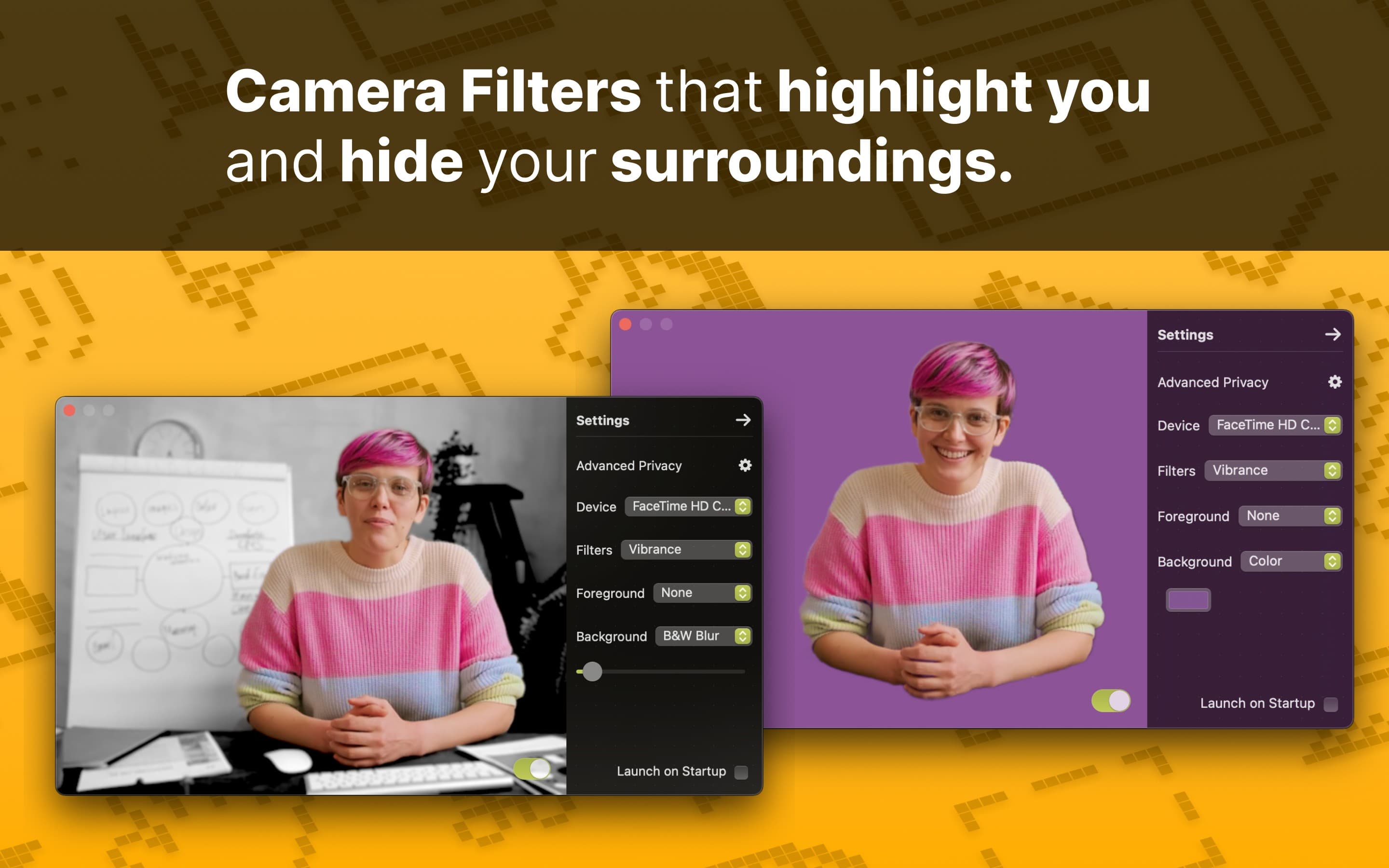
Beautiful Mac Camera Filters on FaceTime, Safari, Firefox, Google Meet, Teams or Zoom.

Consistent style.
Whether you use Google Meet on Safari, FaceTime, Microsoft Teams or Zoom, you will always look your best.
Use Xamera Camera Filters to match your unique style.
Advanced privacy.
Have you ever had your spouse or a kids walk into an important video call? Xamera makes sure that never happens by hiding your camera when you’re not the only person in view.
Blog
Apr 5, 2025
How to Add Camera Filters and Effects to FaceTime on your Mac
Sep 9, 2023
How to Add Mac Camera Filters in Google Meet when using Safari

Sep 17, 2023
How to enable Mac Portrait Mode on Google Meet when using Safari

Aug 22, 2023
How to Keep Privacy of Your Family Members When Working From Home
May 30, 2025
How to Turn Off Automatic Zoom on Google Meet

Streaming Anonymously: Virtual Camera Tricks to Protect Your Identity
Mar 1, 2026
Xamera Camera Installation Guide for macOS
FAQ
What is Xamera?
Xamera Camera is a Mac app that lets you apply special effects and camera filters to your video meetings. It is designed specifically to be easy to use, and offers Advanced Privacy features.
System requirements and Key Features
Xamera works best on Apple Silicon (M1 or better).
Key Features:
• Consistent Mac Camera Filters in any meeting app or browser
• Adjustable background blur (bokeh)
• Black and white blur
• Image as background
• Color as background
Supported Browsers: Safari, Chrome, Firefox, Edge, Opera
Supported Meeting Tools: Google Meet, FaceTime, Zoom, Microsoft Teams, Skype
Xamera should generally work with any tool and any browser on your Mac.
Changelog
Version 2.4.4 – Add dithering effect for foreground and background
Version 2.4.1 – Mirror camera vertically and horizontally, Adjustable filter amount, Fullscreen Preview
Version 2.3.0 – Fresh design for Settings, New Zoom and Pan controls
Version 2.2.8 – Liquid Glass, Fix for frozen image when camera is off, Fix for camera erroneously turning on
Version 2.2.7 – Fix for stale frame from previous session
Version 2.0.1 – Minor UI improvements
Version 2.0.0 – Added Color Grading controls
Version 1.9.8 – Major improvements to external camera handling
Version 1.9.7 – Minor rendering performance improvements
Version 1.9.6 – Create a look in seconds with the new Random option
Version 1.9.5 – Improved onboarding flow
Version 1.9.4 – Minor performance fixes
Version 1.9.3 – Fix for preview placement and onboarding on Sequoia
Version 1.9.2 – Fix for occasional flickering in the preview window
Version 1.9.1 – Fix for a visual glitch on color picker button
Version 1.8.0 – Xamera is now freemium
Version 1.7.1 – Add Xamera to login item as optional onboarding step
Version 1.7.0 – Request a feature right from the app
Version 1.6.1 – Minor performance fixes
Version 1.6.0 – Camera zoom in/out by pinching on Preview, Camera Filter rendering improvements
Version 1.5.5 – Minor performance fixes
Version 1.5.4 – Fix for crash at startup on machines without Metal rendering
Version 1.5.3 – Privacy first analytics with TelemetryDeck
Version 1.5.2 – Camera is now mirrored in Preview
Version 1.5.1 – Minor performance improvements
Version 1.5.0 – Add fullscreen camera filter: Vibrance
Version 1.1.3 – Fix for Xamera extension using CPU when not in use
Version 1.1.2 – Camera shuts off at end of meeting, Blur radius max 50
Version 1.1.1 – Fix for picking a non existent camera
Version 1.1.0 – Pick a different camera device in Settings