NANOSQUID

NANOSQUID

Privacy-first camera software for Mac

NANOSQUID makes focused, privacy-first Mac software. Xamera improves how your camera looks and behaves in video calls, streams, and recordings while keeping effects processing on your Mac.

Xamera app iconFeatured product

Xamera Camera

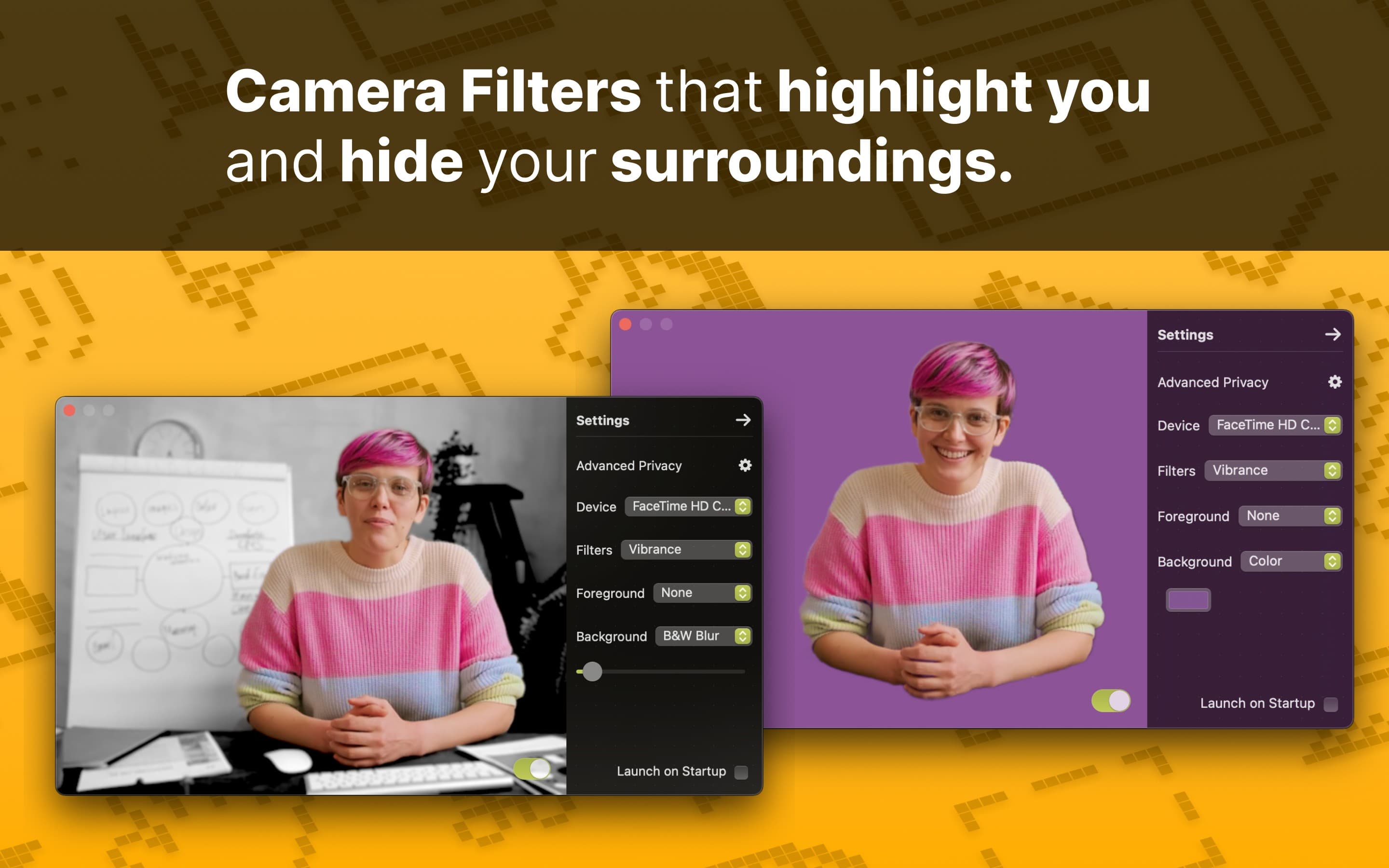
Add real-time beauty filters, full-frame camera looks, background effects, image controls, and privacy tools to FaceTime, Zoom, Google Meet, Microsoft Teams, and OBS.

  • Face Studio beauty filters
  • Background blur and replacement
  • Color and image controls
  • Face blur and privacy controls
Before
Drag the divider to compare the same shot before and after Xamera's beauty filters.

Xamera Face Studio

Beauty filters for Mac video calls

Face Studio is Xamera's flagship beauty-filter feature. It gives you separate real-time controls, so adjustments can stay subtle and specific instead of relying on one generic webcam touch-up switch.

Skin smoothing
Teeth whitening
Face shape
Eyes
Nose
Lips
Learn about Face Studio in Xamera

Designed around privacy

Xamera processes its camera effects locally on your Mac. Your camera frames stay on your device rather than being uploaded for effects processing. More details are documented in the privacy policy.

Privacy Policy

Product boundaries

  • Xamera requires Apple silicon and macOS 15.0 or later.
  • Xamera needs a destination app that allows camera selection.
  • Filter and privacy-effect results should be reviewed before an important call or stream.

Frequently asked questions

What does NANOSQUID make?

NANOSQUID builds privacy-focused Mac software. Its featured app, Xamera, enhances a live camera feed for video calls, streaming, and recording.

Which conferencing and streaming apps support Xamera?

Xamera works with FaceTime, Google Meet, Zoom, Microsoft Teams, and OBS. The destination app must let you choose a camera source.

Can Xamera add beauty filters to FaceTime?

Yes. Xamera's Face Studio provides real-time controls for skin smoothing, teeth whitening, face shape, eyes, nose, and lips. Select Xamera Camera from FaceTime's Video menu after completing the camera-extension setup.

Does Xamera replace Apple's built-in FaceTime effects?

Not necessarily. Apple's effects are a good first choice for Portrait blur, Studio Light, Center Stage, reactions, and supported backgrounds. Xamera adds beauty filters, full-frame looks, detailed image controls, and privacy effects for supported conferencing and streaming apps.

What does Xamera require?

Xamera requires an Apple-silicon Mac (M1 or later) running macOS 15.0 or later. The destination app must allow you to choose a camera source.